
MotioX: AI Video, Art & Chat
HalooshAppArt & Design
1.05.00 Reviews
- Version
- 1.1.2
- Installs
- 50.00K
- Age Rating
- Everyone
Screenshots
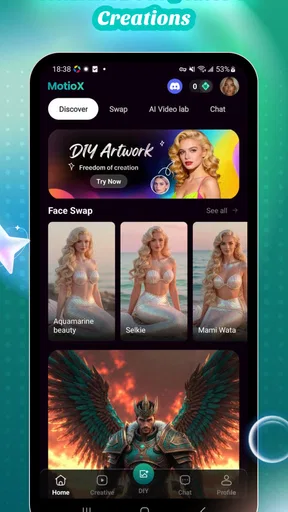
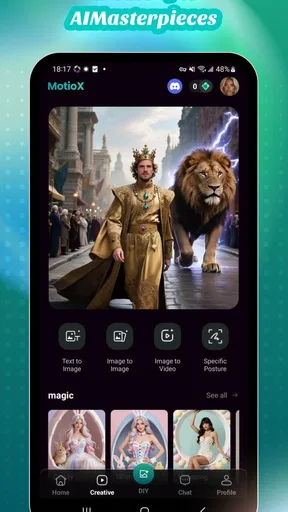
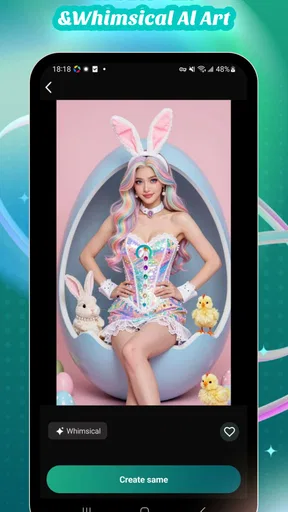
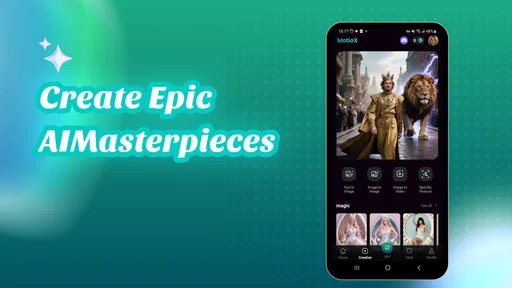
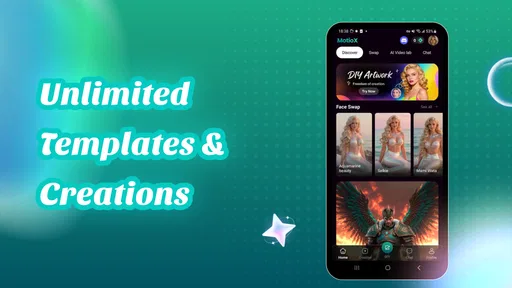
Our Review of MotioX: AI Video, Art & Chat
 Analysis by Appyee
I approached MotioX as a compact creative toolbox rather than a complete video-production studio. Its promise is appealing: bring together AI-assisted video creation, artistic styling, and chat in one place. After using it, my view is that the app is most interesting for quick experiments and casual visual ideas, while people who need dependable editing control may find its one-click approach too limiting. That distinction matters, because the app’s low barrier to entry is also the source of much of its friction.
MotioX is an Art & Design app from HalooshApp, available free of charge for users on Android 7.0 or later. It is suitable for Everyone, which makes the concept approachable for younger users and beginners, although anyone considering purchases should still pay attention to the billing choices shown inside the app. The current version is 1.1.2, and its store presence has attracted over 50 thousand installs. That reach suggests genuine curiosity around the idea, but the average rating is only 1.0 from around 80 ratings, with a small group of written reviews. I would treat that score as an important warning to test the experience carefully rather than assuming the concept alone guarantees a smooth result.
What using MotioX feels like in practice
The first thing I noticed is how strongly the app is built around immediacy. Instead of asking me to learn a traditional timeline, arrange multiple tracks, or understand a long list of editing controls, it presents the creative process as something that should happen quickly. That makes sense for a person who has an idea but does not want to spend an evening learning a professional editor.
The AI angle also changes the way I think about the app. With a normal editor, I usually begin with media I already have and then decide how to cut it. With MotioX, the starting point is more exploratory: I can think about a visual direction, an artistic mood, or a short concept and see what the app can do with that intention. The chat component fits naturally into that workflow because it gives the experience a conversational layer instead of making every choice feel like a technical setting.
That convenience is useful for rough concepts. I can imagine using it when I want to test a visual idea before committing to a more demanding workflow. It is also a practical way to create something for a private message, a casual social post, or a quick presentation where originality matters more than precise control. Its real strength is reducing the distance between an idea and a first draft.
Still, “one click” should not be understood as “one click to a finished professional video.” AI creation is better viewed as a starting point. The result may capture the general feeling I had in mind without matching every detail. That means I would expect to review the output rather than publish it automatically. For me, the app works best when I treat its first result as a visual sketch that needs judgment.
Where the artistic tools make the biggest difference
The artistic side gives MotioX a clearer identity than a basic video utility. A conventional editor is excellent when I already know what I want: trim a clip, add a transition, place text, and export. MotioX is more appealing when I am still searching for a look. Its combination of visual creation and artistic aesthetics encourages me to think in terms of atmosphere and style rather than only duration and arrangement.
That makes it especially suitable for mood boards, visual prompts, concept testing, and playful transformations. A student exploring a design idea could use it to produce a rough direction before opening a more precise design program. Someone preparing a short announcement could use the artistic treatment to make a simple idea feel more distinctive. I would also consider it for brainstorming with another person: create several visual directions, compare them, and then select the one worth developing elsewhere.
There is a useful trade-off here. The more the app emphasizes automated styling, the less predictable the result can feel compared with manually choosing every element. That unpredictability is frustrating when consistency matters, but it can be productive when I am stuck. Sometimes the value is not that the first output is perfect; it is that the app suggests a direction I would not have considered on my own.
One practical tip is to begin with a narrow creative goal instead of asking for an entire campaign or a fully formed story at once. I would first decide whether I am testing color, mood, movement, or subject matter. Keeping that purpose clear makes it easier to judge the result and avoid mistaking a visually attractive effect for a useful final asset.
How the chat element can fit a real workflow
The intelligent chat feature is most valuable when I use it as a planning partner rather than as a replacement for creative judgment. Before generating anything, I would use a conversation to clarify the intended audience, the mood, and the message. That small preparation step can prevent a common AI problem: receiving something visually busy that does not communicate a clear point.
For example, imagine I need a short visual invitation for a community event. I would first settle on a friendly tone, a readable central message, and an artistic direction that does not overpower the information. After that, I could use the creation tools to explore the look. If the result is too dramatic or too abstract, I would refine the idea instead of repeatedly pressing the same creation button and hoping for a better outcome.
This is one of the less obvious ways to get value from MotioX: use chat before creation, not only after an unsatisfying result. A short planning exchange can help separate the message from the decoration. It also gives beginners a more comfortable way to describe what they want when they do not know the names of visual techniques or editing styles.
I would not rely on chat to make important factual decisions or to replace a human review of the finished material. AI assistance can help with direction and wording, but the user still needs to check whether the result is understandable, appropriate, and suitable for its audience. That is especially important when a video includes names, dates, instructions, or anything that must be exact.
The everyday scenario where it makes sense
My most realistic use case would be a small business owner preparing a quick social post after taking a product photo. They may not need a full commercial, but a plain image feels too static. MotioX could help them explore an artistic treatment and turn the idea into a more engaging visual draft without requiring advanced editing skills.
I would approach that workflow in stages. First, I would define the single message the post needs to communicate. Next, I would create a restrained visual direction rather than adding every available effect. Then I would inspect the output on a phone screen, because details that look attractive during creation can become difficult to read when viewed quickly. Finally, I would decide whether the result is good enough to share or whether it should be rebuilt in a conventional editor.
The same process could work for a teacher making a visual introduction to a class topic, a hobbyist creating a themed greeting, or a creator testing an opening concept for a longer project. In each case, MotioX is useful because it helps produce a direction quickly. It is less suitable when the user needs exact branding, repeatable layouts, careful timing, or detailed sound and text control.
Where the app falls short
The biggest weakness is the gap between speed and control. A one-click creative process is attractive until I need to correct one specific part of the result without changing everything else. Traditional video and design apps can be slower, but their detailed controls make them more dependable for revisions. If I need a precise sequence, consistent typography, or a repeatable visual identity, I would rather work in an established editor.
There is also a learning curve of a different kind. MotioX may be easier than a professional timeline at the beginning, but getting consistently good results still requires experimentation. The user has to learn how to describe an idea, how much direction to provide, and when to stop adding visual treatment. That is not difficult in the same way as mastering layers and keyframes, but it still takes practice.
The store rating deserves consideration here. An average of 1.0 is unusually low, so I would not recommend building an important deadline around the app without testing the complete workflow first. A person deciding to try it should check how comfortably it handles their own type of project, how predictable the outputs feel, and whether the available creation path matches their expectations before investing serious time.
The free download is another point where I would stay alert. MotioX is listed as free, but it includes in-app purchases ranging from $5.99 to $259.99 per item. Those amounts create a very wide possible spending range. I would avoid assuming that every creative option is included at no cost, and I would review each purchase screen carefully before confirming anything. For casual experimentation, the safest approach is to establish a personal spending limit before exploring paid tools.
That pricing structure affects who should use the app. If I only want to experiment occasionally, a free starting point may be enough. If I expect frequent generation or need several advanced options, the potential cost becomes part of the decision, especially when a conventional editor may offer a clearer one-time or subscription arrangement. The right comparison is not simply “free versus paid”; it is whether MotioX’s speed and creative approach justify the way its paid items are presented for my particular workflow.
How it compares with familiar alternatives
Compared with a standard mobile video editor, MotioX feels more idea-led and less manual. A conventional editor gives me confidence that I can place an element exactly where I want it and return to adjust it later. MotioX gives me a faster route to a stylized concept, but I may have less certainty about the exact path from prompt to result.
Compared with a dedicated digital art app, MotioX is likely to appeal more to people who want assistance than to artists who enjoy building every mark themselves. A drawing-focused tool rewards patience, hand control, and detailed editing. MotioX is better for trying directions quickly, especially when I want a visual result without starting from a blank canvas and constructing everything manually.
Compared with a general chatbot that can discuss creative ideas, MotioX has a more direct connection to visual output. That can make the process feel more immediate. However, a general chatbot may be more flexible for research, planning, or long-form writing, while MotioX is more focused on turning creative conversation into an artistic or video-oriented experiment. I would choose between them based on whether I need a visual draft or a broader thinking partner.
For professional social media work, I would probably combine tools rather than use MotioX alone. It can serve as the ideation and style-testing stage, while a more controllable editor handles final text, timing, brand elements, and quality checks. This hybrid workflow is more realistic than expecting an AI-first app to replace every part of production.
Who should try it, and who should skip it
I would recommend MotioX to curious beginners, casual creators, students exploring visual concepts, and anyone who enjoys experimenting with AI-assisted art. It is also worth considering for people who often have a rough idea but lack the confidence or time to build it manually. The chat feature may make the first step less intimidating, particularly for users who can describe a mood more easily than they can navigate a complex toolbar.
I would be more cautious about recommending it to agencies, professional editors, or creators working under strict delivery requirements. If a project needs precise revisions, consistent outputs across many assets, or a dependable production history, a traditional application is the safer choice. The same applies to users who dislike unpredictable results or do not want to inspect AI-generated work closely.
Parents and younger users should also remember that an Everyone age rating describes general suitability, not necessarily the quality or cost of every creative result. Since purchases are available inside the app, families should make sure the device’s purchase controls match their expectations. That is a practical step I would take before handing the app to a child for open-ended experimentation.
My verdict after weighing the idea against the experience
MotioX has a clear and appealing thesis: creative video and artistic exploration should feel approachable, conversational, and fast. In that role, it can be enjoyable and genuinely useful. I like the way it encourages a person to move from a vague idea toward a visual draft, and I see real value in using chat to shape the concept before generating anything.
But I would not confuse convenience with completeness. The app’s automated approach cannot replace the control of a dedicated editor, and the low average rating means I would test it cautiously rather than depend on it immediately. The broad range of in-app purchase prices also makes cost awareness essential, even though the app itself is free to download.
My recommendation is therefore specific: try MotioX if your goal is fast experimentation, artistic inspiration, or a rough video concept. Use it as a creative launchpad, inspect every result, and move important final work into a tool with stronger manual control. Skip it if you need predictable professional production from the first attempt. For the right user, its best feature is not perfect automation; it is the ability to make starting feel less intimidating.
Verdict
Strengths of MotioX: AI Video, Art & Chat
- Generates creative videos, images, and chat responses in one app.
- Useful for brainstorming concepts, captions, scripts, and visual ideas.
- AI tools can speed up content creation for social media projects.
- Supports experimentation with different artistic styles and prompts.
- Convenient mobile workflow for creating content without extra software.
Limitations of MotioX: AI Video, Art & Chat
- Results may vary considerably depending on prompt quality and detail.
- Some advanced features or generations may require a paid subscription.
- AI-generated visuals can contain awkward details or inconsistent characters.
- Processing times may increase during busy periods or for complex requests.
- Privacy terms should be checked before uploading personal photos or sensitive text.
Similar Picks in This Category
View All
Canva: AI Photo & Video Editor
Canva4.8

PENUP – Drawing-sharing SNS
Samsung Electronics Co., Ltd.4.5

Crafto
Kutumb App4.6

Sketchbook
Sketchbook4.1

ibis Paint X
ibis inc.4.5

Adobe Express: AI Photo, Video
Adobe4.6
Frequently Asked Questions
What is MotioX: AI Video, Art & Chat used for?
MotioX: AI Video, Art & Chat is an artificial-intelligence creative app designed for generating and exploring visual content. Depending on the tools available in your version, you can use text prompts or uploaded images to create AI artwork, animate still pictures, produce short video-style results, and interact with chat-based creative features. It is aimed at users who want quick experiments without needing advanced editing skills.
Is MotioX: AI Video, Art & Chat free to download and use?
The app may be available to download at no initial cost, but some features can be limited by credits, daily usage caps, subscriptions, or in-app purchases. AI image and video generation commonly consumes more credits than basic chat or browsing tools. Before creating a large number of results, check the current pricing page, trial conditions, renewal terms, and whether unused credits expire, since these details can change between updates.
Can MotioX create videos from text or photos?
MotioX is presented as an AI video and art creation tool, so its main appeal is turning written ideas or images into stylized visual content. Results depend heavily on the prompt, source image, selected style, and the app’s current generation models. Short clips may take longer to process than images, and motion can sometimes look unusual, inconsistent, or different from what you originally described.
Does MotioX require an internet connection?
Yes, you should expect to need a stable internet connection for most important functions. AI generation is generally processed online rather than entirely on the phone, which means prompts, images, and generation requests may be uploaded to remote servers. Mobile data usage can increase when uploading photos or downloading videos, so Wi-Fi is recommended, especially when creating multiple high-resolution results.
Is content created with MotioX safe to share or use commercially?
You should review MotioX’s current terms of service, privacy policy, and licensing rules before using generated images or videos for business, advertising, or monetized projects. AI output may resemble existing artwork, characters, brands, or real people, and the app may apply restrictions to copyrighted, misleading, violent, or adult material. Avoid uploading private photos or sensitive information unless you understand how the service handles and stores them.
